
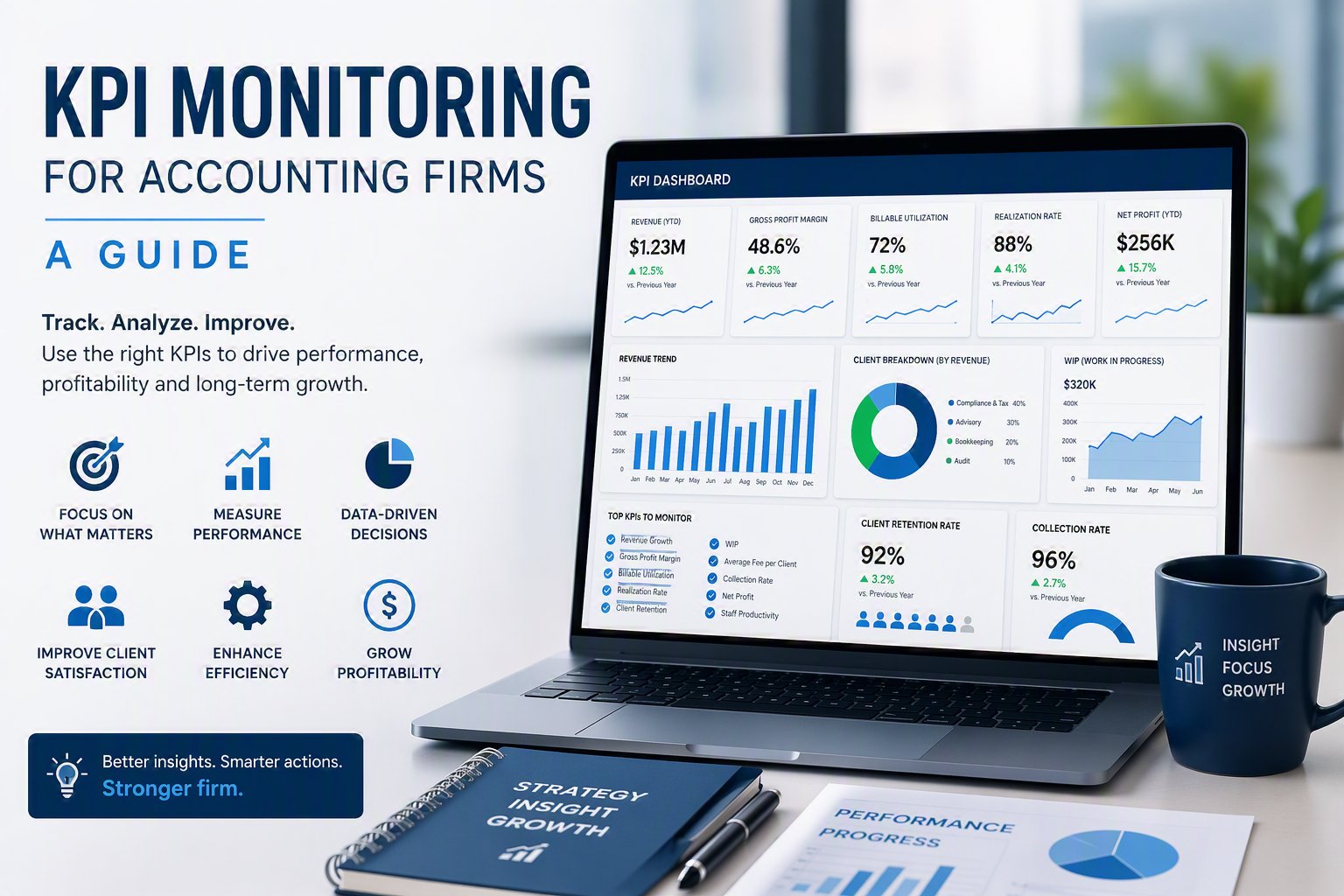
CCH Practice KPI Monitoring: A Practical Guide for Accounting Firms
How to build realization rate dashboards, utilization tracking, and WIP aging reports from CCH Practice — without manual exports or spreadsheet assembly.
CCH Practice KPI Monitoring
CCH Practice contains the data. The challenge is turning it into consistent, leadership-ready KPI monitoring without manual effort.
Most accounting firms using CCH Practice have access to rich operational data — realization rates, WIP, AR aging, time entries, billing history — but pulling that data into a consistent, real-time KPI view requires connecting it to a purpose-built analytics layer. That gap between data and decision is what CCH Practice KPI monitoring is designed to close.
Realization Rate Reporting
Track billable-to-billed ratios automatically.
Realization rate is one of the most important KPIs in an accounting firm — and one of the hardest to track consistently from CCH Practice without manual assembly. A proper CCH Practice KPI monitoring setup surfaces realization by partner, service line, and client tier on a rolling basis, so managing partners see margin trends before they become write-down problems.
Utilization & Chargeability
Monitor staff productivity by role and period.
CCH Practice time entry data supports chargeability and utilization monitoring across staff levels. A well-structured KPI dashboard shows utilization trends over rolling periods, flags capacity pressure before deadlines, and gives firm administrators the data they need to rebalance workload during peak seasons.
WIP & AR Aging
Protect cash flow with automated aging visibility.
WIP aging and AR aging dashboards built on CCH Practice data give CFOs and firm administrators a clear picture of billing velocity and collection risk. Instead of pulling reports manually each week, CCH KPI monitoring delivers aging buckets, client-level balances, and trend movement automatically.
Billing Performance
Connect billing velocity to profitability signals.
Billing cycle length, write-down frequency, and average invoice size are all derivable from CCH Practice data. Monitoring these KPIs consistently reveals pricing discipline issues, service line profitability gaps, and client-tier patterns that partners can act on.
Partner-Level KPI Visibility
Give each partner a consistent performance view.
CCH Practice KPI monitoring should include role-scoped dashboards so each partner sees their book-level metrics — realization, write-downs, utilization of their team, WIP and AR exposure — while managing partners retain a firm-wide view. This avoids ambiguity in partner reviews and surfaces issues earlier.
AI-Enhanced KPI Summaries
Explain the “why” behind metric movement.
AI-generated summaries on top of CCH Practice KPI data automatically surface likely drivers behind shifts in realization, utilization, or WIP — saving leadership the time of digging through dashboard layers to understand what changed and why.
What to Look for in a CCH Practice KPI Monitoring Solution
Not every BI tool is suited for CCH Practice KPI monitoring. Accounting firms should look for a solution that connects directly to CCH Practice without manual exports, delivers standardized KPI definitions out of the box, and scales across partner-level, manager-level, and leadership views without custom development.
Building CCH Time & Billing Dashboards in Power BI Yourself
Some firms start by trying to build realization, WIP, and AR dashboards in Power BI directly from CCH Practice time and billing exports. It is possible, but three things make it harder than it looks: CCH Practice does not expose a clean, query-ready data model, so time entries, billing history, and client hierarchy typically need to be reshaped before a realization or WIP measure is even calculable; realization and WIP definitions vary by firm (billed vs. collected, standard vs. blended rate), so a DAX measure built for one partner's book often breaks for another's; and CCH Practice data changes daily, which means a one-time Power BI import goes stale unless someone maintains a refresh pipeline.
FirmMetrics™ solves the same problem as a standardized, maintained layer—connecting to CCH Practice directly, applying a single consistent realization and WIP definition firm-wide, and refreshing automatically—so firms that want the DIY Power BI outcome get it without owning the data modeling and maintenance work themselves.
CCH Practice KPI monitoring checklist
Direct connection — pulls from CCH Practice automatically, no manual CSV exports
Standardized realization rate — single, consistent formula across all firm reports
WIP and AR aging buckets — updated on a defined refresh cadence, not on-demand pulls
Trend visibility — rolling period comparisons, not just point-in-time snapshots
No custom development required — standardized solution that firms can deploy without a developer
FirmMetrics™: Accounting Firm Performance Dashboards That Connect to CCH Practice
FirmMetrics™ is AccountingTek BI’s flagship accounting firm performance platform. It tracks the metrics that matter most to firm leadership — billing velocity, WIP aging, accounts receivable, realization rates, and utilization — pulling directly from CCH Practice or Practice CS and delivering them through Microsoft Power BI without manual exports or custom development.
FirmMetrics™ Advanced is designed for managing partners, firm administrators, COOs, and CFOs at small to mid-sized CPA firms who want a consistent, firm-wide performance view. The same standardized KPI definitions, the same dashboard structure, updated automatically from your data.
For firms that also need workflow and turnaround visibility, WorkSight Metrics™ extends CCH KPI monitoring into tax workflow analytics — surfacing staff workload, return cycle times, and bottlenecks from CCH Workflow data.
What KPIs can accounting firms monitor from CCH Practice?
Accounting firms using CCH Practice can monitor realization rates, utilization and chargeability, WIP aging, AR aging, billing velocity, write-down trends, and partner-level productivity — all derived from CCH Practice time, billing, and client data without manual exports.
What is realization rate reporting for CCH Practice firms?
Realization rate reporting tracks the percentage of billable time that is actually billed and collected. For firms on CCH Practice, realization rate monitoring surfaces write-down trends by partner, service line, and client tier — giving managing partners a consistent view of margin leakage without manual report pulls. FirmMetrics™ automates this directly from CCH Practice data.
Does FirmMetrics™ connect directly to CCH Practice?
Yes. FirmMetrics™ connects directly to CCH Practice to pull realization, utilization, WIP aging, AR aging, and billing data — delivering standardized KPI dashboards through Microsoft Power BI without manual exports or spreadsheet bridges.
Do I need custom development to set up CCH KPI monitoring?
No. FirmMetrics™ Advanced is a standardized CCH KPI monitoring solution that accounting firms can deploy without custom development. It provides pre-built KPI definitions, dashboard layouts, and direct CCH Practice connectivity — designed for firms that want consistent KPI visibility without building dashboards from scratch. While no development is required, we do offer custom add-ons for your specific firm needs.
How can I build dashboards in Power BI from CCH time and billing data?
You can connect Power BI directly to CCH Practice time and billing exports, but three things make it harder than expected: CCH Practice doesn't expose a clean, query-ready data model, so time entries and billing history usually need to be reshaped before a realization or WIP measure is even calculable; realization and WIP definitions vary by firm (billed vs. collected, standard vs. blended rate), so a DAX measure built for one partner's book often breaks for another's; and the data changes daily, so a one-time import goes stale unless someone maintains a refresh pipeline. FirmMetrics™ solves this as a standardized, maintained layer — connecting to CCH Practice directly and refreshing automatically — for firms that want the DIY Power BI outcome without owning the data modeling and maintenance work.
How do I see my firm's realization rate in CCH Practice or Practice CS?
The most direct way is through FirmMetrics™, not a manual report build. FirmMetrics™ connects to CCH Practice or Practice CS and calculates realization rate automatically — by partner, service line, and client tier — the moment it's connected, with no report-writer setup or spreadsheet assembly required. Rather than piecing the calculation together yourself from native CCH Practice reports, FirmMetrics™ gives you a live, standardized realization rate view alongside utilization, WIP, and AR aging in the same dashboard.